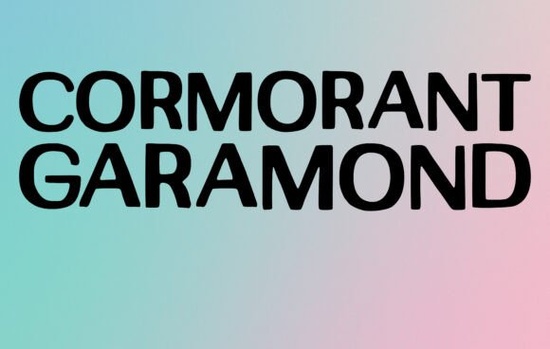
Typography choices define the mood of your project before anyone reads a single word. If you are working on formal branding, editorial layouts, or elegant event stationery, the Cormorant Garamond Font offers a classic, highly legible serif option. Designed to handle both large titles and longer body paragraphs, this typeface adapts well to physical prints and digital screens alike. Crafters and small business owners often choose it when they need a reliable, sophisticated look without sacrificing readability. If you want to learn more about the history of classic typography, you can read about the original Garamond typeface online.
What makes this serif typeface work for wedding invitations?
Wedding stationery requires a delicate balance between romance and clarity. When couples send out save-the-dates or formal invites, the text must be easy for guests of all ages to read. This Garamond variation features graceful curves and refined strokes that feel traditional yet fresh. You can use it for the couple's names in a larger point size and drop down to a smaller weight for the venue details and RSVP information. Because it scales beautifully, it prevents the common problem of thin lines disappearing on textured cardstock like handmade cotton or translucent vellum.
Can you use it for print-on-demand t-shirts and crafting?
Many sellers assume classic serifs only belong on paper, but they work exceptionally well on apparel when styled correctly. For a vintage boutique look, you might center a short quote using this font on a cotton tote bag or a graphic tee. To keep the design visually interesting, you can mix it with a handwritten style typeface for the secondary text. This contrast helps the main message stand out while giving the merchandise a custom, layered aesthetic that buyers look for in independent shops.
For hobbyists using vinyl cutting machines, the fine details require a bit of extra care. If you are cutting adhesive vinyl for mugs or decals, choose a heavier weight of the font or add a slight offset stroke. This simple adjustment makes weeding the negative space much easier and ensures the letters do not tear during application.
How do you pair it with other display fonts for seasonal branding?
Building a brand identity often means having a primary typeface for professional communication and secondary options for specific campaigns. If your main brand uses a refined serif, you might want to introduce something highly decorative for a limited-time holiday sale. For instance, pairing your elegant body text with a festive winter lettering style creates a clear visual hierarchy for December promotions.
Similarly, if you design apparel for school events or local teams, contrasting a traditional serif with a bold athletic lettering option adds an unexpected but effective edge to your layouts. Sometimes a project demands thick, aggressive lines rather than delicate strokes. If you find that a refined serif is too quiet for a concert flyer or a street-style clothing tag, you can switch your accent text to a gritty, heavy block lettering. Keeping your base text in a clean serif ensures the important details, like dates and locations, stay perfectly readable against the louder graphic elements. You can find more variations of this classic style by exploring our collection of elegant serif display options to match your specific project needs.
What are the best settings for magazine headlines and body text?
Editorial designers appreciate typefaces that hold up under strict grid systems. For magazine headlines, try increasing the tracking (letter spacing) slightly to give the words a more cinematic, high-fashion appearance. When setting body text, stick to standard tracking but adjust the leading (line height) to at least 120% of the font size. This prevents the ascenders and descenders from tangling, which is crucial for long-form articles. On web pages, ensure your text color has sufficient contrast against the background hex code so the thinner strokes remain visible on mobile screens.
How do you prepare your files for final production?
Before finalizing your next design project, run through this quick typography checklist to ensure the best possible results across all mediums:
- Check contrast: Ensure your background color allows the fine serif details to remain visible, especially on uncoated paper.
- Test print sizes: Print a sample page at actual size to verify that the thinnest strokes do not break apart during the printing process.
- Outline your text: When sending files to a commercial printer or using a cutting machine, convert your text to outlines or paths so the design remains intact regardless of the software used.
- Limit font counts: Stick to two or three typefaces per layout to maintain a clean, professional appearance.
- Verify licensing: Always confirm that your license covers commercial use if you are selling physical products or digital templates.
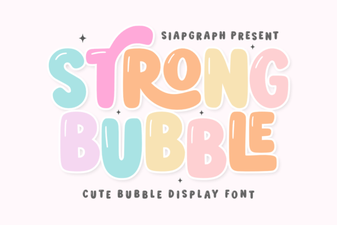 Bubble Fonts for Bold, Creative Designs
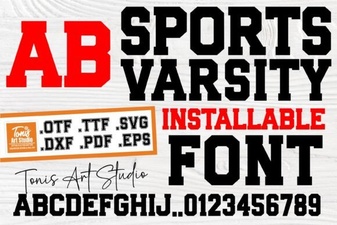 Sports Varsity Lettering Guide & Font Uses
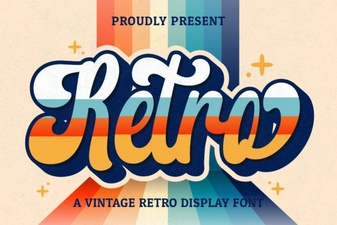 Retro Script Fonts: Creative Design Projects & Free Downloads
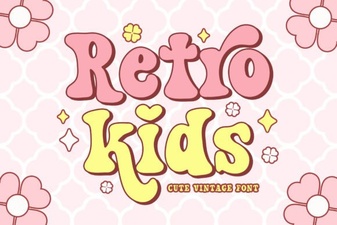 Classic Kids Fonts for Creative Projects
 Designer Fonts: Creative Tools for Your Projects
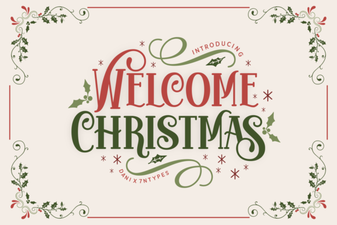 Festive Holiday Fonts for Creative Projects