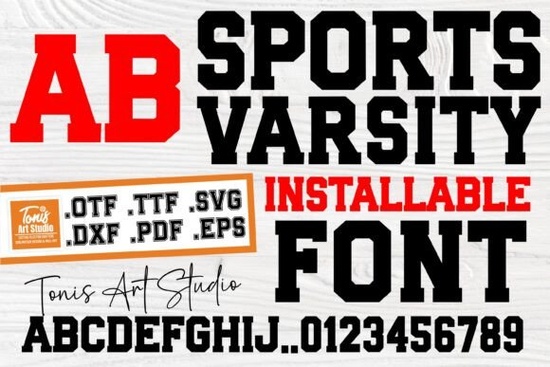
Creating custom apparel for local leagues, school events, or weekend tournaments requires typography that feels authentic and readable. The Sports Varsity Font delivers exactly that classic collegiate look right out of the box. Whether you are cutting heat transfer vinyl for a custom hoodie, printing spirit wear for a high school, or designing a banner for a community 5K, this typeface provides the traditional block lettering that people instantly associate with team athletics.
What projects work best with this style of lettering?
Because of its bold structure, this typeface is highly legible from a distance. This makes it an excellent choice for print-on-demand sellers creating oversized graphic tees or crewneck sweatshirts. Small business owners running local sports teams can use it to quickly generate uniform numbers and player names. Crafters working with Cricut or Silhouette machines will appreciate the clean edges, which weed easily when cut from adhesive or iron-on vinyl.
If you want to build a complete team brand, pairing this font with the right secondary typeface is important. When you need a heavy header to match the athletic vibe, exploring heavy collegiate block letters can give your design extra visual impact. You can also browse through other athletic lettering collections to find matching numbers, punctuation, and symbols that fit your specific team colors and mascot themes.
How do you prepare the font for vinyl cutting?
Working with block letters requires a few simple steps in your design software to ensure a clean final product. First, always type out your word and adjust the kerning, or the space between individual letters, before you resize the text. Varsity letters look best when they are slightly spaced apart or tightly touching, depending on the garment size.
Once you have the spacing right, convert the text to paths or outlines. This ensures that your cutting machine reads the letters as shapes rather than editable text. If your word has overlapping sections, use the weld tool to merge them into a single cut line. This prevents your machine from cutting through the middle of connected letters.
For crafters designing for a younger age group, you might want to pair this structured font with fonts with a youthful retro feel to soften the overall look for children's apparel or nursery wall art.
Can athletic fonts be used for non-sports designs?
Absolutely. The collegiate aesthetic has crossed over into mainstream streetwear and vintage fashion. Designers often use these bold, blocky letters to create retro university-style merchandise for fictional places, brands, or even pets. A custom sweatshirt featuring classic chenille-style lettering is incredibly popular in the handmade market.
To create a modern streetwear logo, try combining the bold varsity style with elegant serif options for the subtitle. The contrast between the heavy athletic letters and the delicate, formal text creates a high-end, editorial look.
You can also use this lettering for seasonal merchandise. During the winter months, contrasting structured collegiate letters with fun seasonal typefaces can create a highly sought-after novelty holiday shirt for family gatherings or ugly sweater parties.
What file formats should you keep on hand?
When you download typography assets, you will usually receive a few different formats. Understanding when to use each one saves time during the design process:
- OTF (OpenType Format): Best for professional design software like Adobe Illustrator or Photoshop. It supports advanced ligatures and alternate characters if the creator included them.
- TTF (TrueType Format): The standard choice for most crafters. It works flawlessly in Cricut Design Space, Silhouette Studio, Canva, and standard word processors.
- SVG and PNG: If the product includes pre-made alphabet files, SVGs are ready to be uploaded directly into cutting software, while transparent PNGs are perfect for sublimation printing on mugs and tumblers.
What are the best practices for printing and cutting?
Before sending your final design to a printer or cutting mat, do a quick quality check. Zoom in to 100% to ensure the edges of the letters are smooth and there are no stray anchor points. If you are printing on dark garments, remember to add a white underbase so the colors remain vibrant.
Next Steps for Your Project:
- Open your design software and install the TTF or OTF file.
- Type out your team name or slogan and adjust the letter spacing until it feels balanced.
- Convert your text to a shape or outline to lock in the design.
- Send the file to your printer or cutting machine, ensuring you mirror the image if you are using iron-on vinyl.
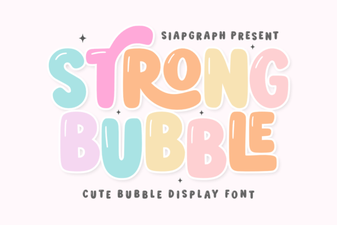 Bubble Fonts for Bold, Creative Designs
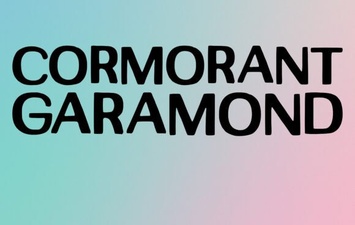 Cormorant Garamond: Typography for Elegant Designs
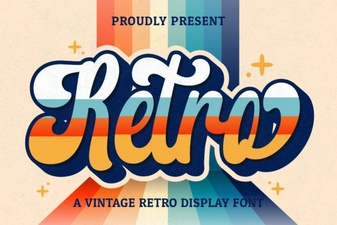 Retro Script Fonts: Creative Design Projects & Free Downloads
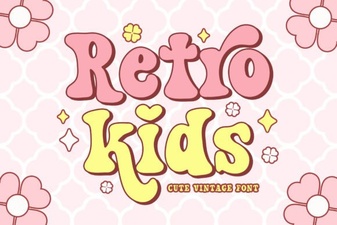 Classic Kids Fonts for Creative Projects
 Designer Fonts: Creative Tools for Your Projects
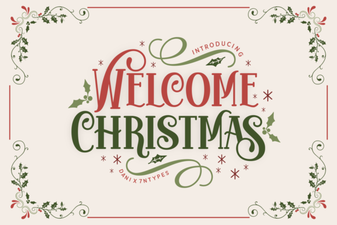 Festive Holiday Fonts for Creative Projects