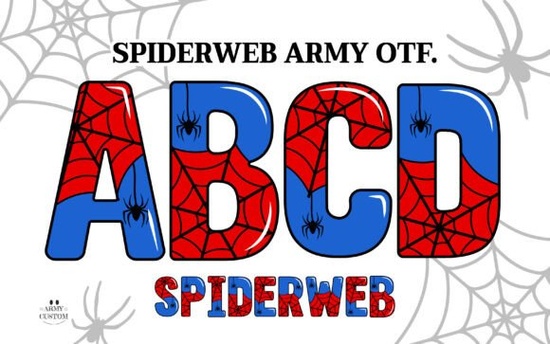
Designers and crafters preparing for the Halloween season often need typography that stands out without requiring hours of manual illustration. The Spiderweb Army Font solves this problem by combining a bold, spooky typeface with built-in web graphics. Whether you are creating custom t-shirts for a print-on-demand store or designing invitations for a haunted house party, this typeface provides instant thematic appeal. It gives you the detailed look of hand-drawn lettering while functioning as standard, easily editable text.
How does the color font version work in design software?
The color version of this typeface utilizes OpenType SVG technology. This means the intricate spiderweb details and shading are baked directly into the font file. When you type a word, the graphics appear automatically. To use this specific feature, you need software that supports OpenType SVG color fonts, such as Adobe Photoshop CC 2017 or newer, and Adobe Illustrator CC 2018 or newer.
If your current setup relies on these Adobe programs, you will get the full, multi-toned effect right out of the box. For those who enjoy experimenting with different typographic styles, exploring other colorful Halloween typefaces can provide fresh inspiration for your autumn campaigns. Just keep in mind that the color OTF file is not compatible with Cricut Design Space, which brings us to the alternative file formats included in the package.
Can I cut this font with my Cricut or Silhouette machine?
Yes, you can absolutely use this design for vinyl cutting and physical crafts, provided you select the correct file format. The creator includes a solid black version of the font specifically for this purpose. This black version strips away the color data, leaving clean, continuous lines that cutting machines can easily read.
You can type out your desired words in Cricut Design Space, weld the letters together if needed, and cut them from adhesive vinyl or heat transfer material. This is highly effective for making wooden porch signs, Halloween window decals, or customized trick-or-treat buckets for small businesses.
What if my app does not support color fonts?
Many crafters and creative hobbyists use web-based platforms like Canva or mobile apps like Procreate. These applications typically do not support OpenType SVG color fonts. To ensure you can still use the detailed, multi-colored spiderweb letters, the package includes a complete set of bonus PNG files.
Each letter, number, and punctuation mark is provided as an individual transparent image. You simply drag and drop the PNGs you need onto your canvas to spell out your message. This workaround guarantees that your final design retains the complex, spooky aesthetic regardless of the software you prefer.
Which projects benefit most from this typography?
Because of its highly thematic nature, this typeface works best for projects where the text itself serves as the primary artwork. Consider using it for:
- Apparel: Short phrases like "Spooky Season" or "Trick or Treat" printed on hoodies and graphic tees.
- Event Stationery: Eye-catching headers for Halloween party invitations, haunted house tickets, or seasonal menus.
- Stickers and Decals: Die-cut vinyl stickers for water bottles or laptops, utilizing either the solid black version or the full-color PNGs.
- Retail Signage: Window displays or chalkboard alternatives for local storefronts running October promotions.
What are the exact technical requirements?
Before downloading, make sure you know which files to use for your specific workflow. The OpenType (OTF) color file requires recent Adobe software. The standard black font file installs like any normal typeface on Windows or Mac computers and works with cutting machine software. The PNG files require no installation at all and can be opened in almost any image editor, word processor, or presentation tool.
Pre-Design Checklist
Before you start your next Halloween project, run through these quick steps to ensure a smooth process:
- Check your software compatibility: Verify if your program supports OpenType SVG if you plan to use the color version.
- Test the black version first: If you are cutting vinyl, do a small test cut to ensure the web details are not too delicate for your chosen material.
- Organize your PNGs: Create a dedicated folder for the transparent image files so you can easily drag and drop them into mobile design apps.
- Pair with simple fonts: Let this highly detailed typeface be the star by pairing it with a clean, readable sans-serif font for your secondary text.
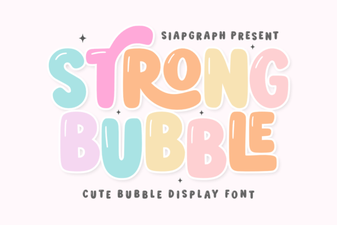 Bubble Fonts for Bold, Creative Designs
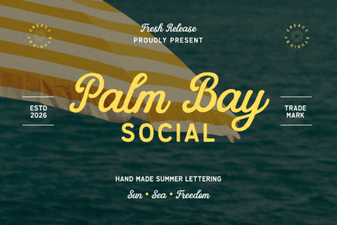 Palm Bay Social Font: Stylish Logo Design Ideas
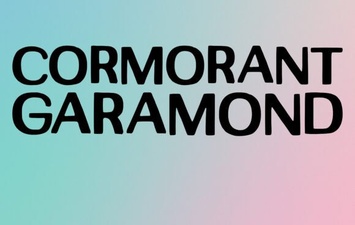 Cormorant Garamond: Typography for Elegant Designs
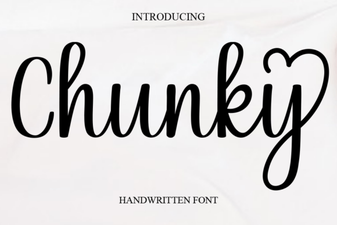 Bold Chunky Fonts for Modern Design Projects
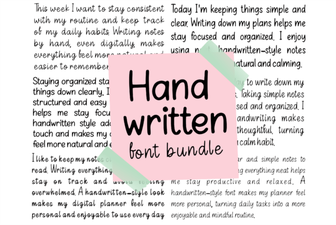 Beautiful Handwriting Fonts for Your Creative Projects
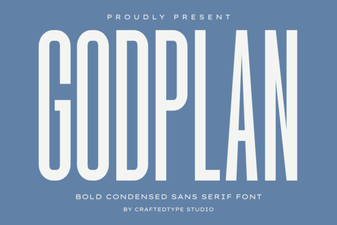 Godplan Font: Creative Ideas for Design Projects