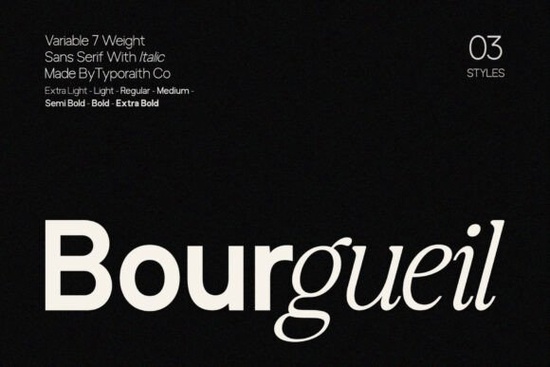
Typography often dictates the entire mood of a design project before a single color is added. When you need a typeface that balances clean geometry with modern flexibility, the Bourgueil Font is a highly practical choice. Designed as a variable sans serif, it provides seven distinct weights alongside matching italics. This precise structure gives small business owners, independent graphic designers, and print-on-demand sellers the exact tools needed to build strong visual hierarchy. You can format an editorial spread, create a minimalist logo, or design labels for handmade goods without cluttering the layout. Whether you are crafting physical merchandise or designing a digital storefront, this typeface delivers clarity across all mediums.
Why do variable weights matter for brand identity?
Building a recognizable brand requires consistency, but also enough typographic variation to guide the reader's eye naturally. Relying on a single-weight typeface can feel restrictive, especially when organizing complex information. With seven variable weights at your disposal, you can set subtle, highly legible body copy and transition smoothly to bold, confident statements for your main headlines. The balanced proportions ensure that even the heaviest weights remain readable at smaller sizes. The default kerning is also carefully tuned, meaning you spend less time adjusting individual letter spacing and more time focusing on the overall composition.
If your current project requires something with a slightly different geometric approach, you might want to explore other options in our modern limited sans serif collection to compare structural details. However, for pure versatility, having a complete font family in one package saves valuable time and keeps your entire design system completely cohesive.
Where does this typeface perform best in digital and print layouts?
Crafters and print-on-demand sellers need files that render perfectly on both physical products and web platforms. The refined geometry of this typeface makes it highly effective for various applications:
- Apparel and merchandise: The clean lines are excellent for vinyl cutting machines. Simple, unadorned letterforms weed easily and look sharp on t-shirts and tote bags.
- Editorial design: The matching italic styles are perfect for pull quotes, captions, or highlighting key takeaways in magazine spreads and brochures.
- Social media graphics: Clean sans serifs stand out in fast-scrolling feeds. Use the bolder weights for short, punchy text overlays that grab attention immediately.
- Web interfaces: The structured spacing ensures that navigation menus, buttons, and product descriptions look crisp on any screen size.
When working on a comprehensive brand package, you can browse the dedicated Bourgueil category page to review all available weights and commercial licensing options. For projects that need a slightly softer, more organic feel alongside crisp text, pairing it with a typeface from our sunflower font selection can create a beautiful contrast between structured and relaxed typography.
How do you pair this font with other styles?
A modern sans serif rarely works alone in complex design layouts. It usually acts as the foundational text, anchoring more decorative elements. Because of its neutral yet contemporary voice, it pairs effortlessly with highly stylized display fonts. When establishing a visual hierarchy, use the bold sans serif weights for primary navigation and the regular weights for secondary text. This creates a clear path for the user's eye.
For instance, if you are designing a travel brochure, you might use an expressive script for the main title and rely on this structured typeface for the detailed itinerary. You could also test out unique combinations using an adventure themed display font for your primary headers, letting the clean sans serif handle the heavy reading. Alternatively, a sleek pairing with a godplan style typeface can yield a highly corporate, tech-forward aesthetic suitable for startup branding or software interfaces.
What are the next steps for setting up your typography?
Before you start designing, make sure your files are properly organized for both print and digital use. Follow this quick checklist to streamline your workflow:
- Download the complete family to ensure you have access to all seven weights and the italic variations.
- Install the OTF or TTF files on your operating system and restart your design software if prompted.
- Set up your paragraph styles in your layout program, assigning the lighter weights for body text and heavier weights for headings.
- Adjust your tracking and line height to improve readability, especially for longer blocks of text.
- Test your layout on different backgrounds to confirm the color contrast meets visual accessibility standards.
Taking a few minutes to organize your font styles upfront will make the rest of your creative process much smoother.
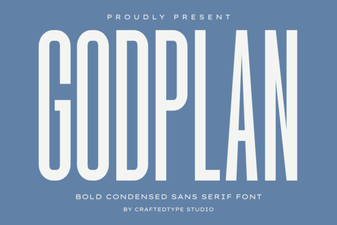 Godplan Font: Creative Ideas for Design Projects
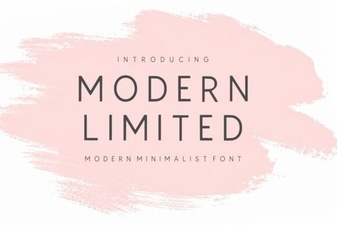 Modern Fonts for Clean Design & Usability
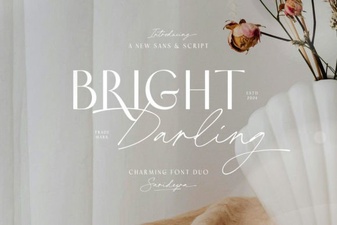 Bright Darling Duo Font for Creative Projects
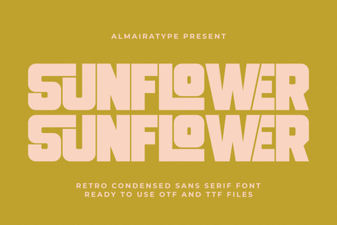 A Guide to Using the Sunflower Font in Your Designs
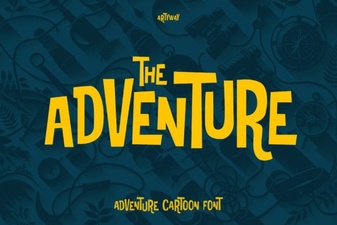 Fonts for Action, Adventure & Exploration Projects
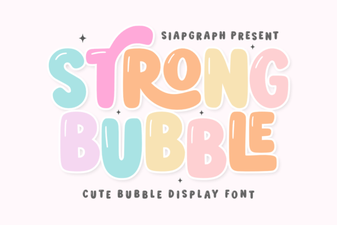 Bubble Fonts for Bold, Creative Designs